Wizard tutorial
How to create a contact app
A contact application lets subscribers send request messages, express opinions, offer suggestions and give feedback.
6 steps · Screenshots from the AppLink platform
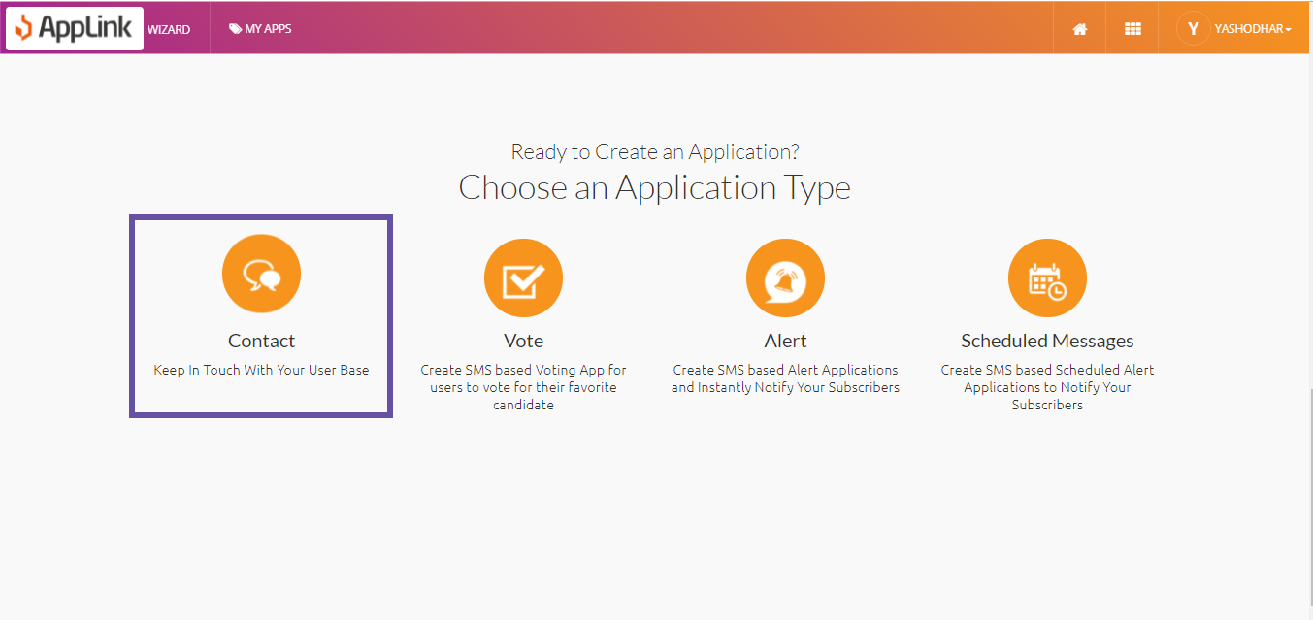
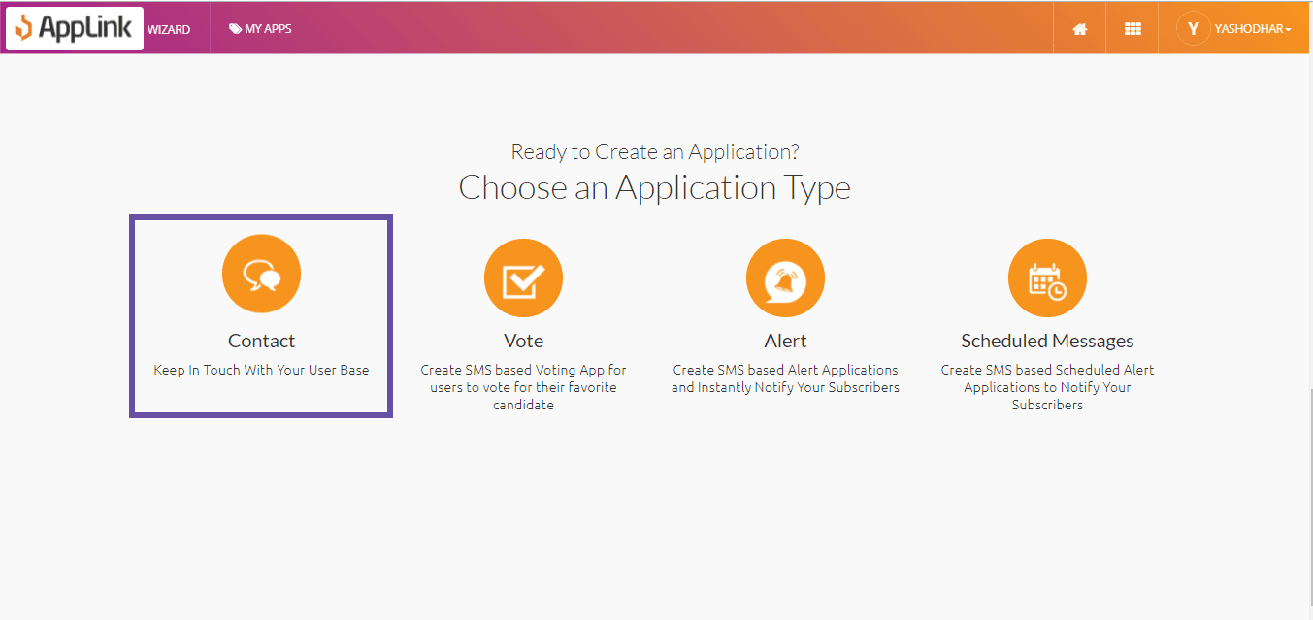
Step 1: Select the Contact application pattern.
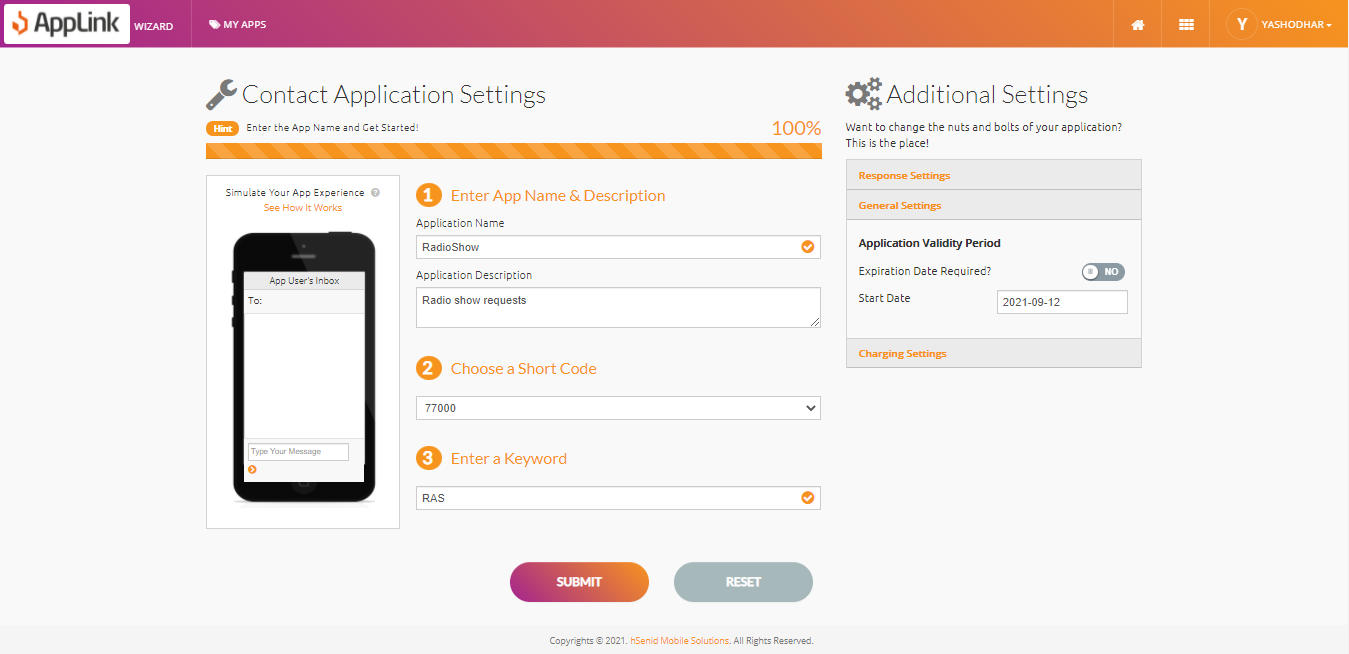
Step 2: Fill in the application details.
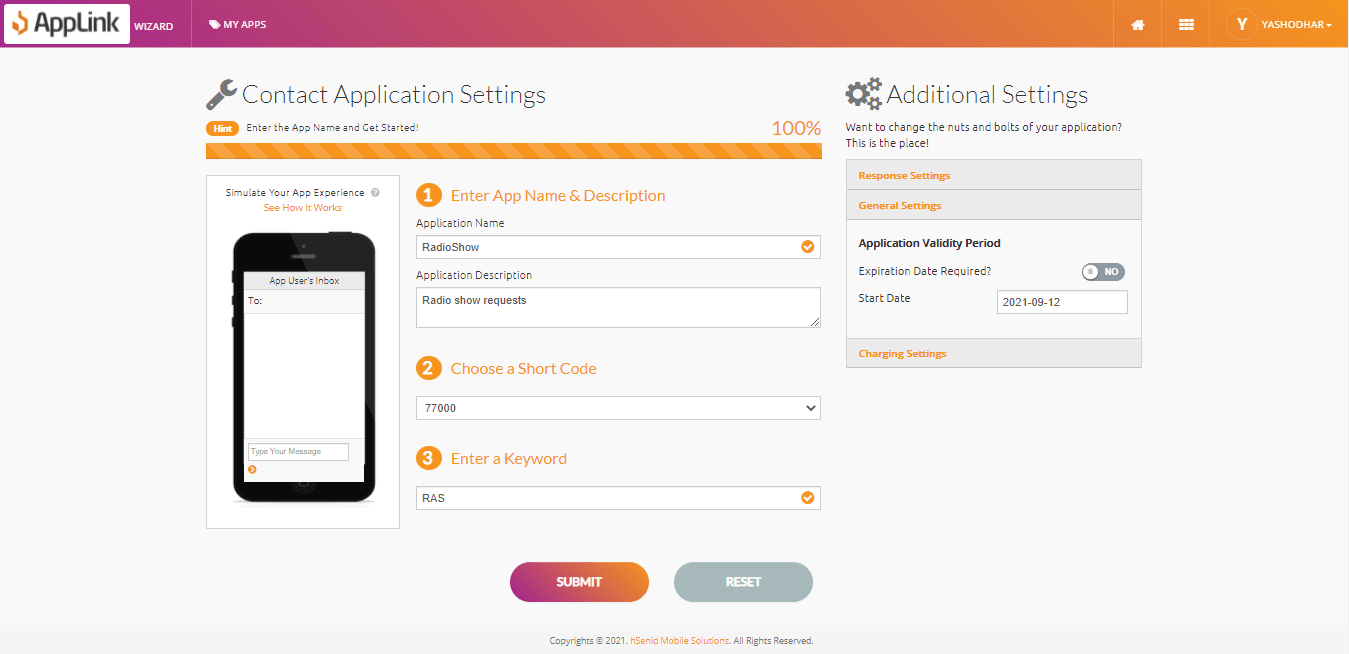
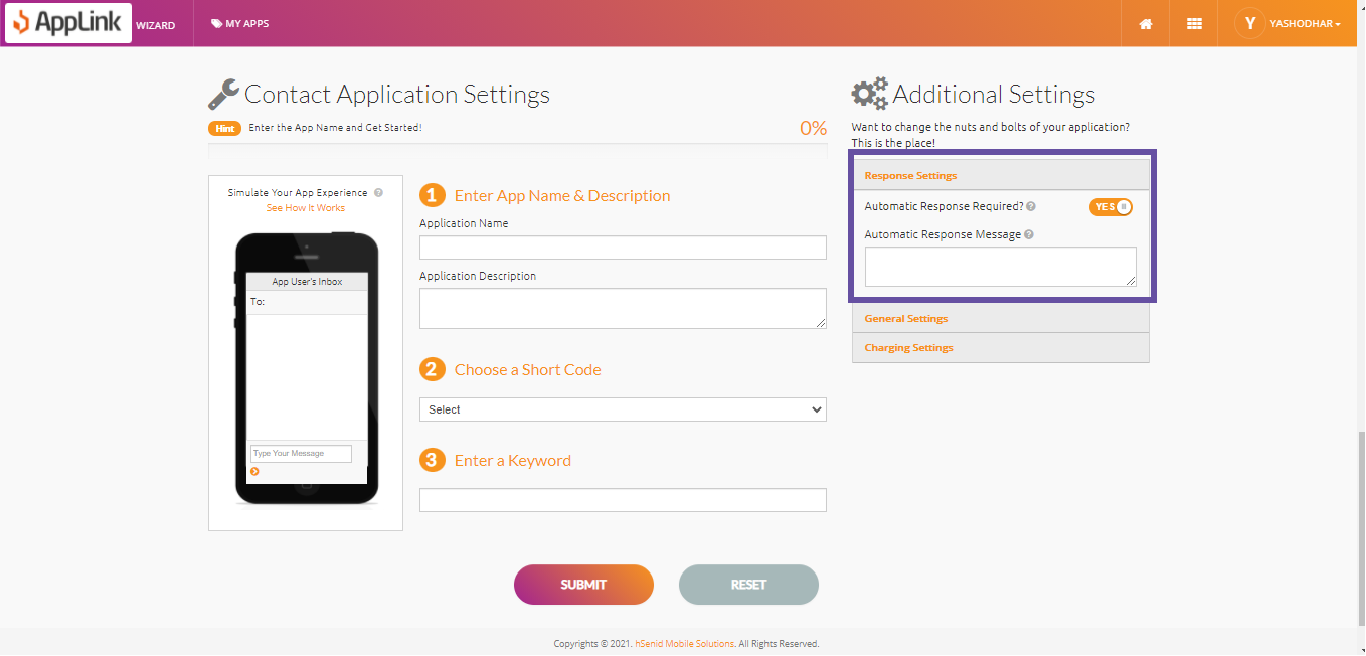
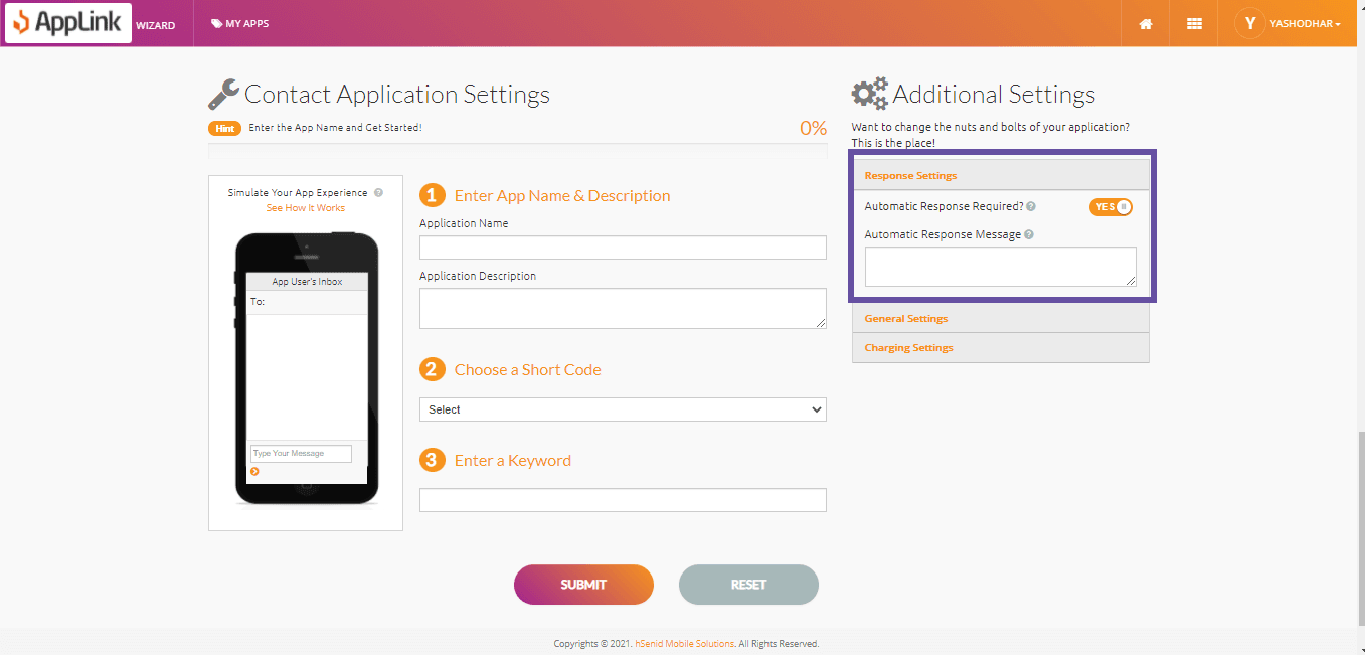
Step 3: Fill in the response settings.
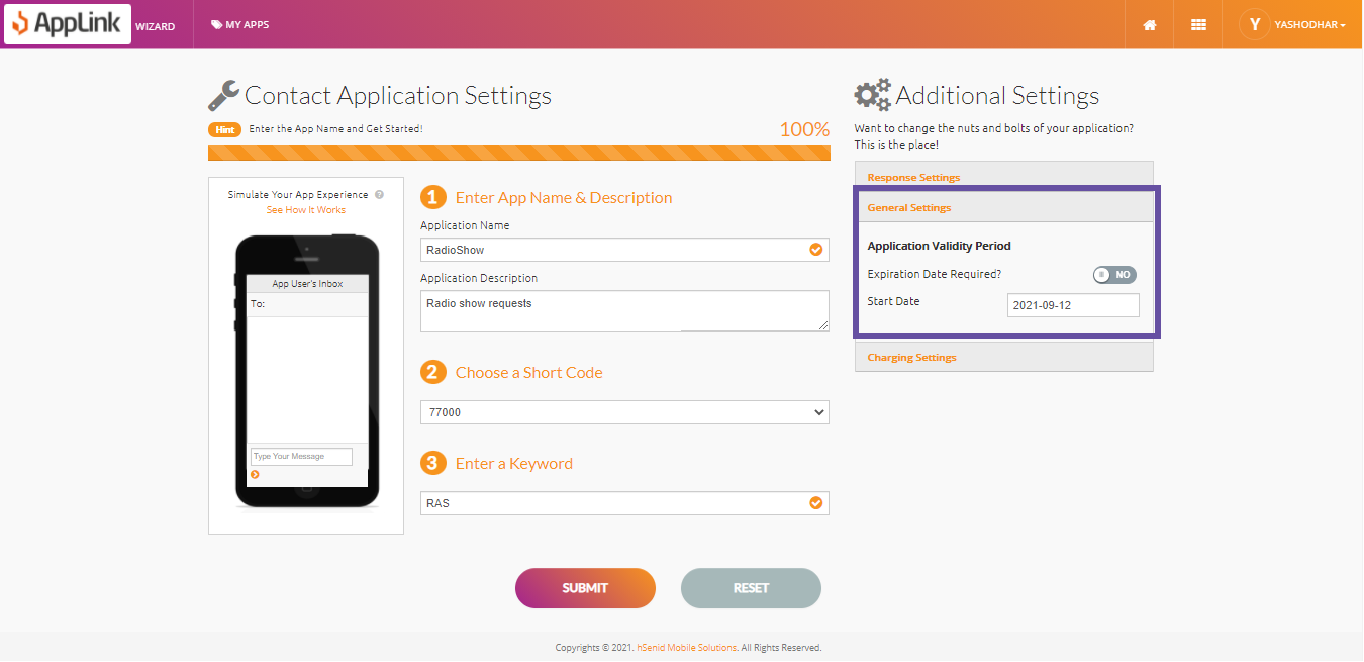
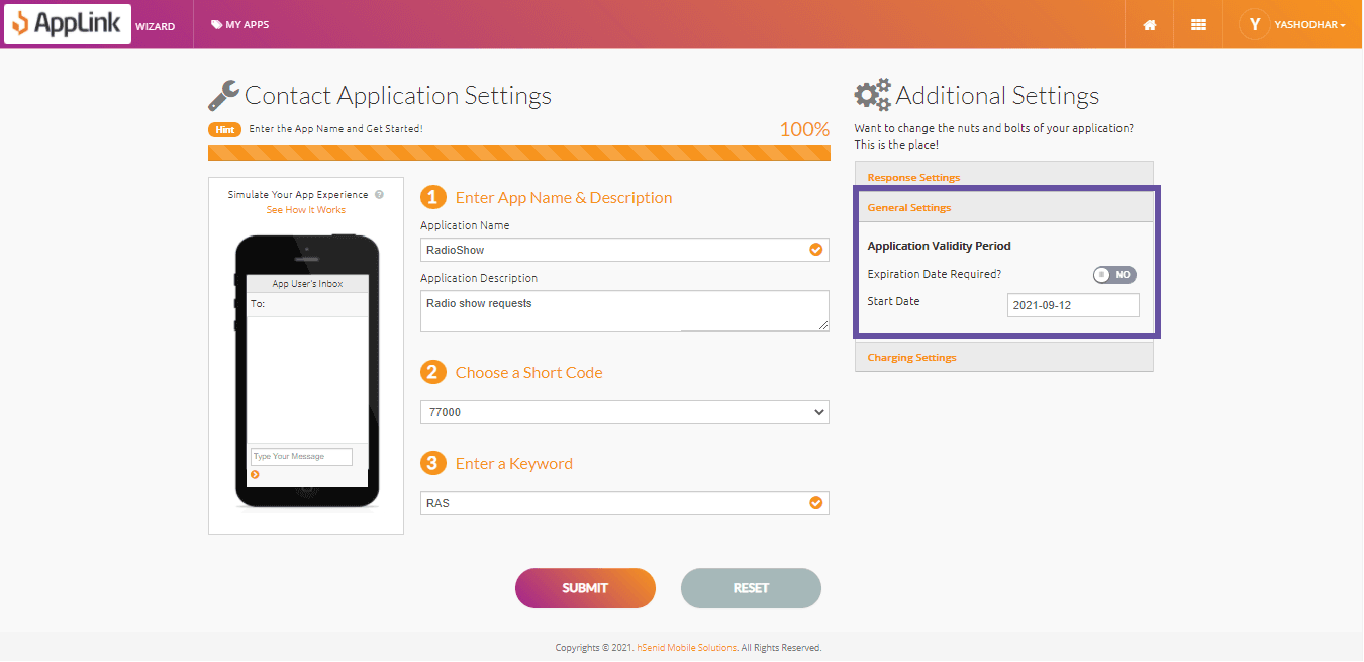
Step 4: Fill in the application validity details.
Step 5: Fill in the charging details and click Submit.
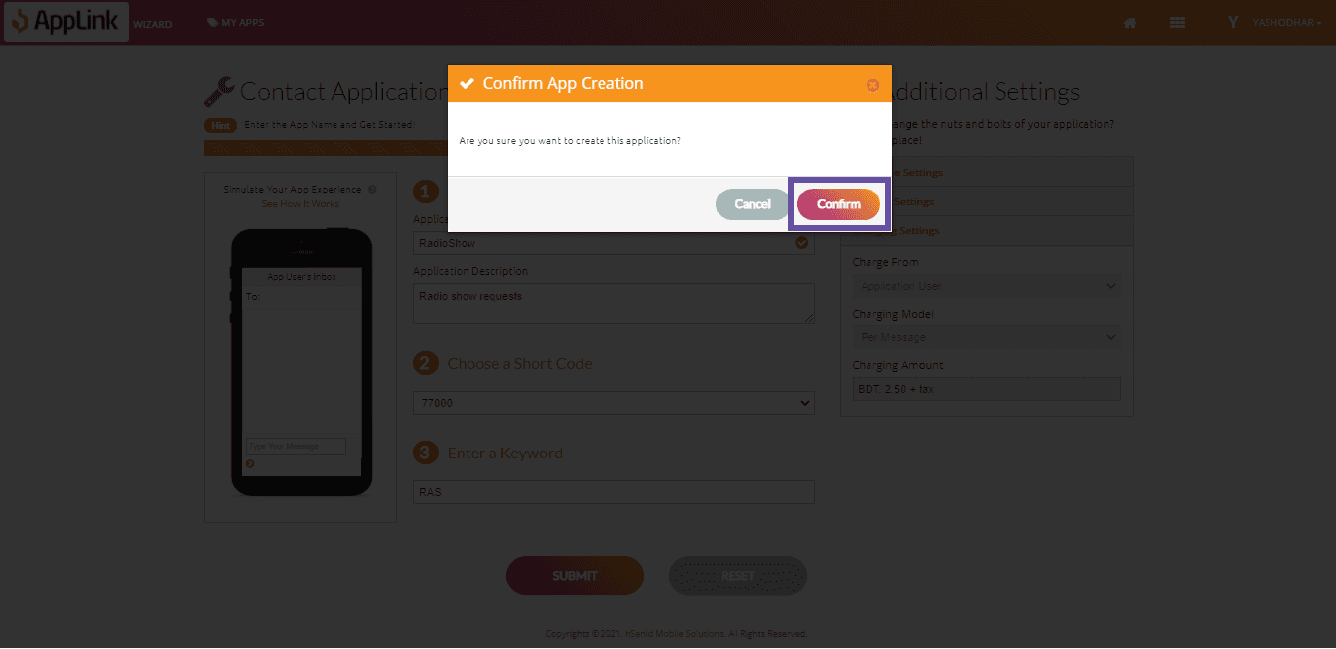
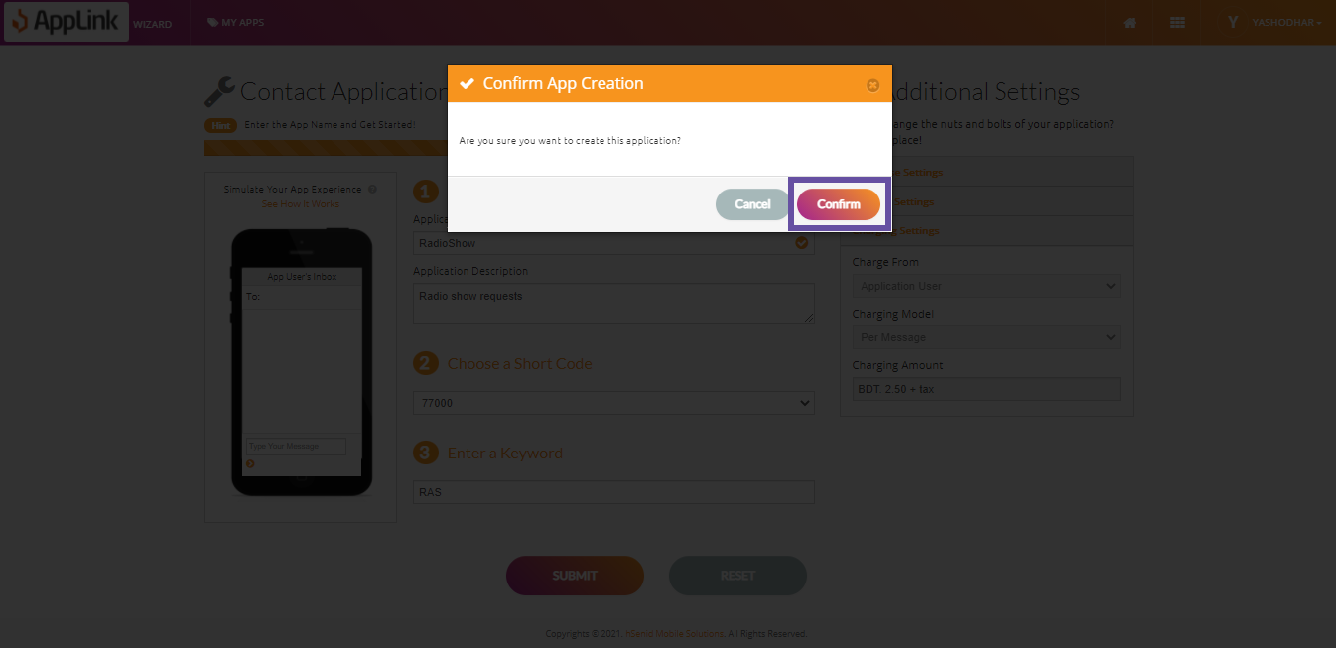
Step 6: Confirm your application creation.