Wizard tutorial
How to create a voting app
A voting application lets you create polls where registered users vote for their preferred candidate, nominee or product.
7 steps · Screenshots from the AppLink platform
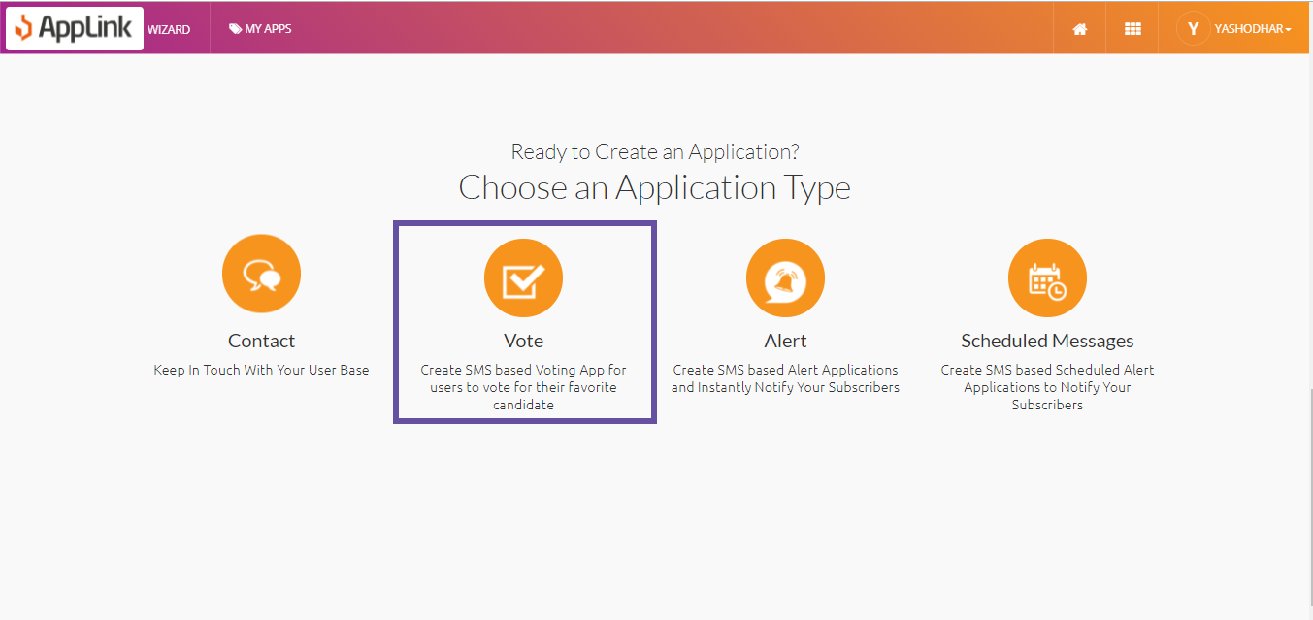
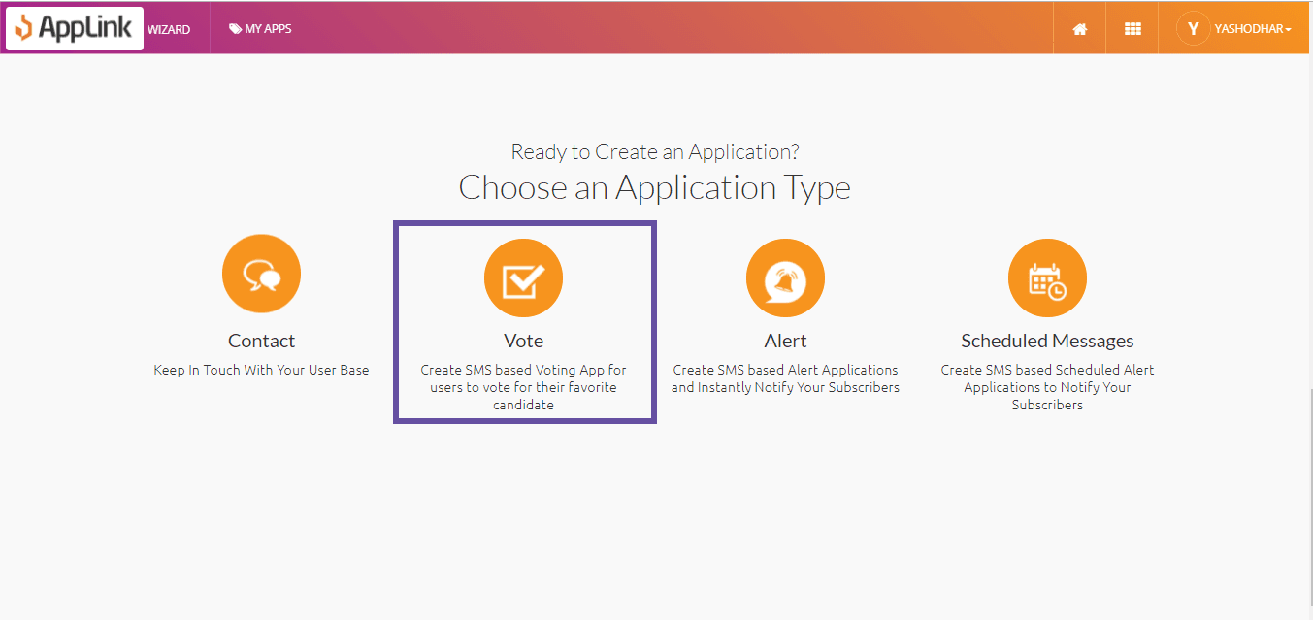
Step 1: Select the Voting application pattern.
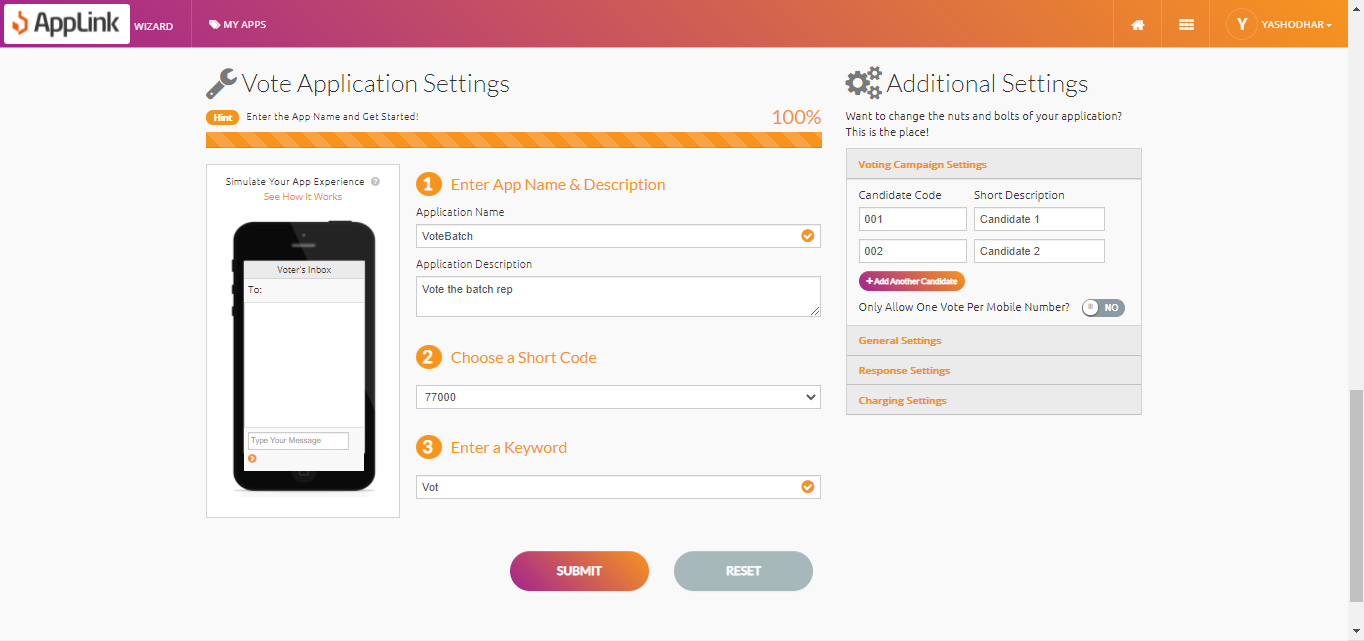
Step 2: Fill in the application details.
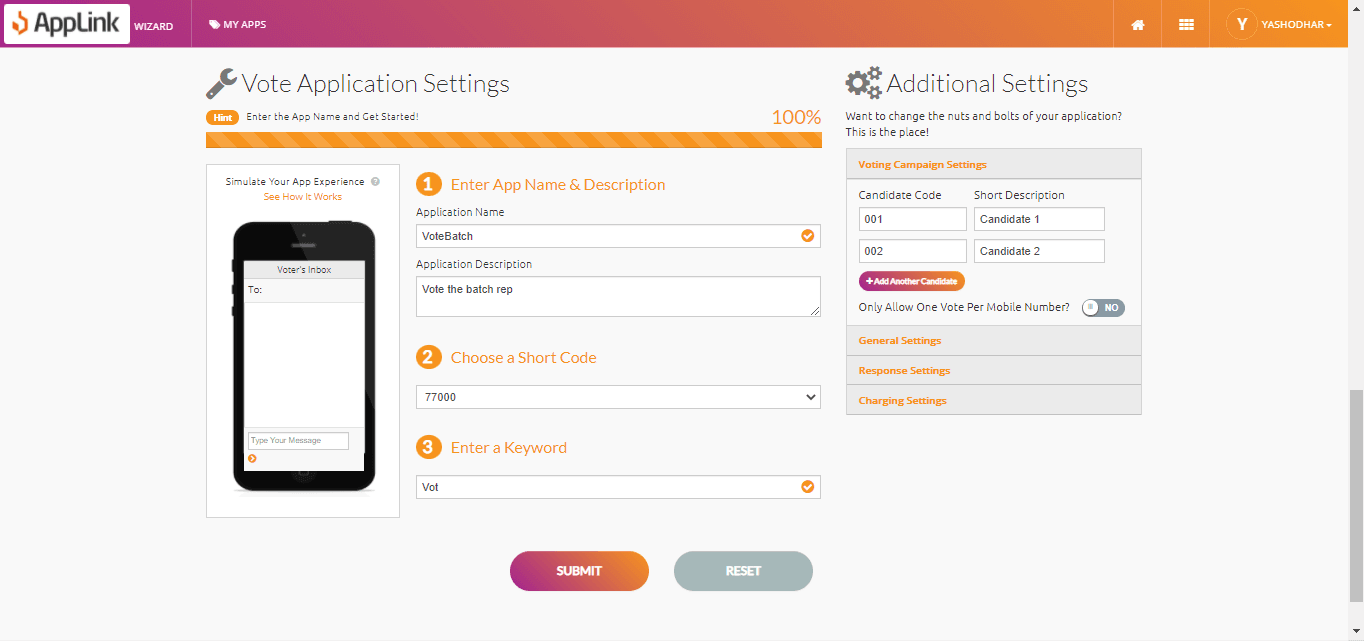
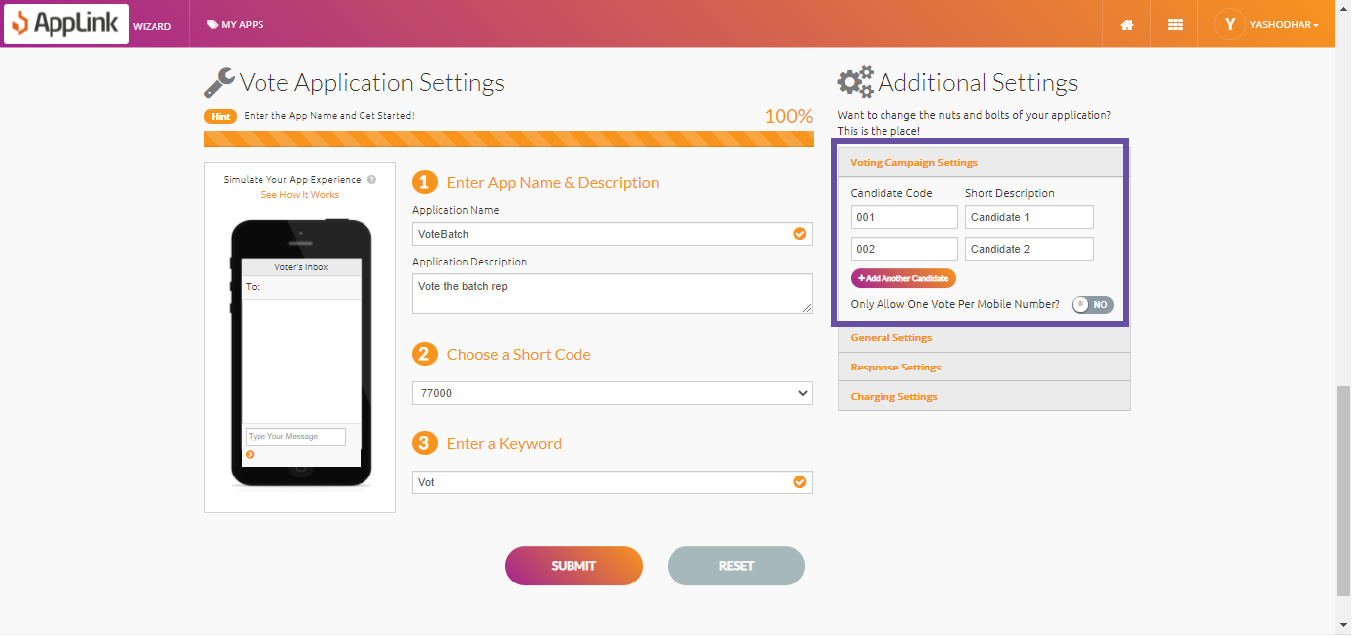
Step 3: Fill in the voting campaign details.
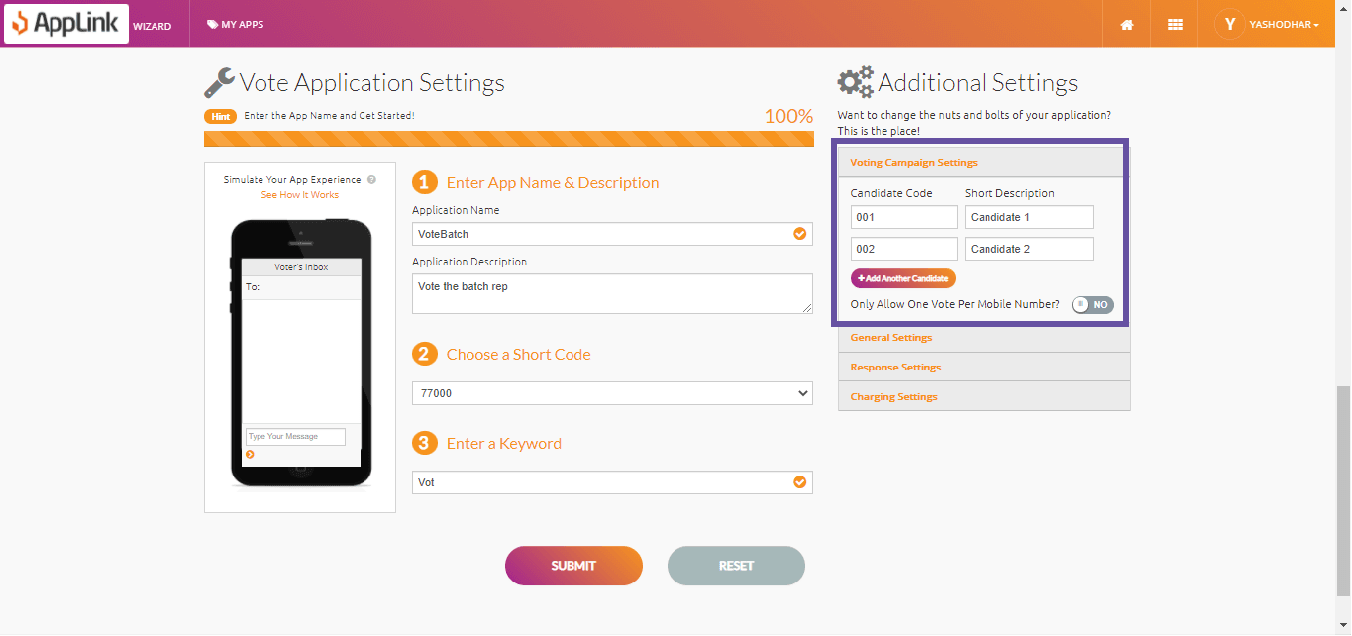
- Candidate Code: the number of the candidate.
- Description: usually the name of the candidate. It may vary depending on your voting application.
- Add more candidates with the Add Another Candidate button.
- Turn on Only One Vote per Number if you don't accept multiple votes from the same mobile number.
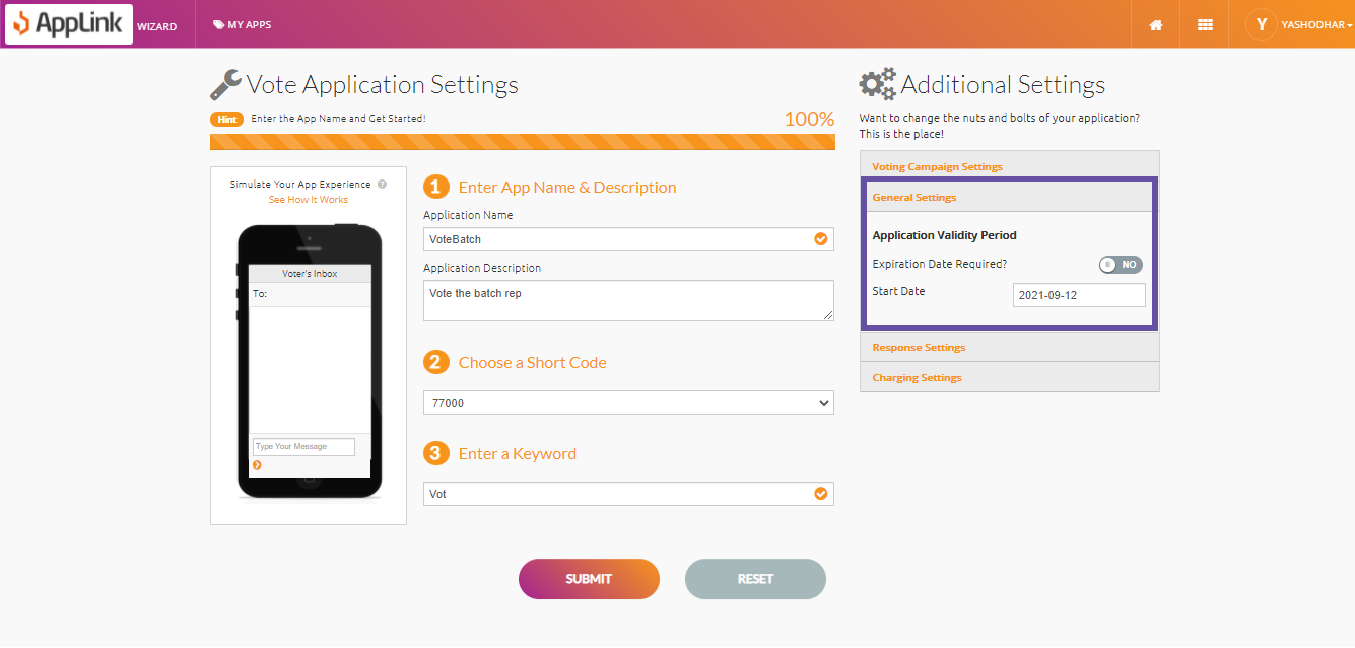
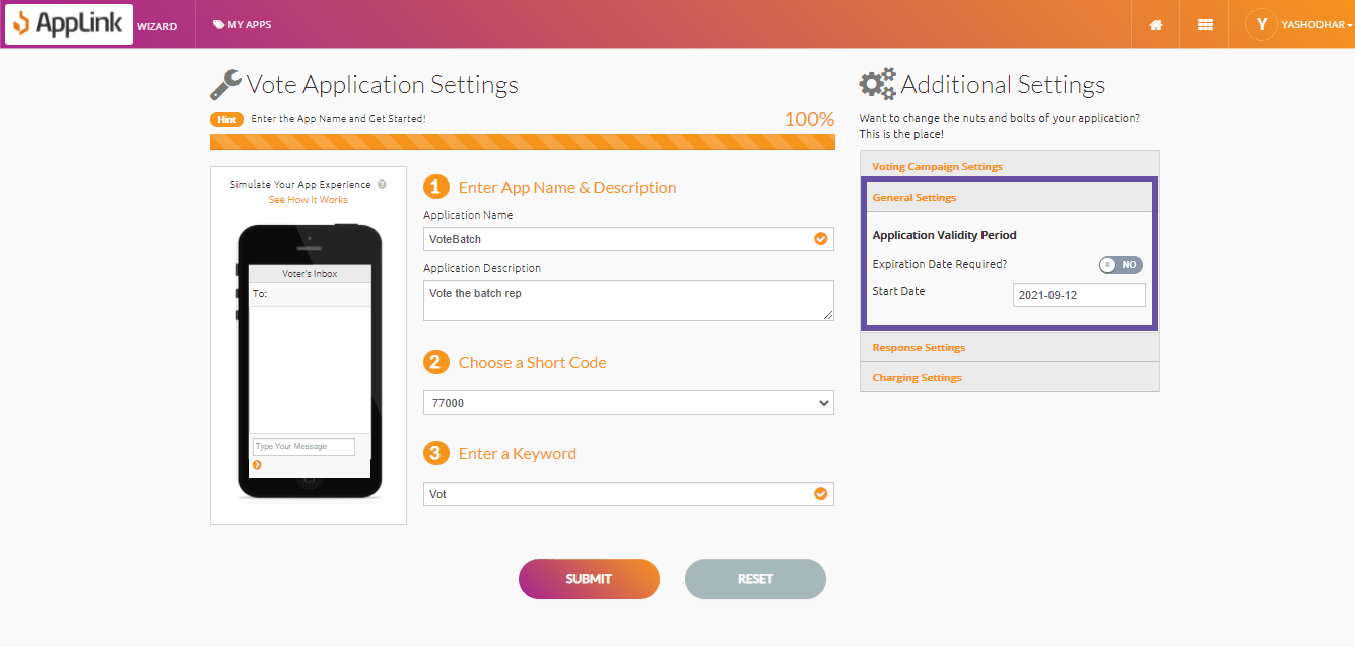
Step 4: Select the application validity details.
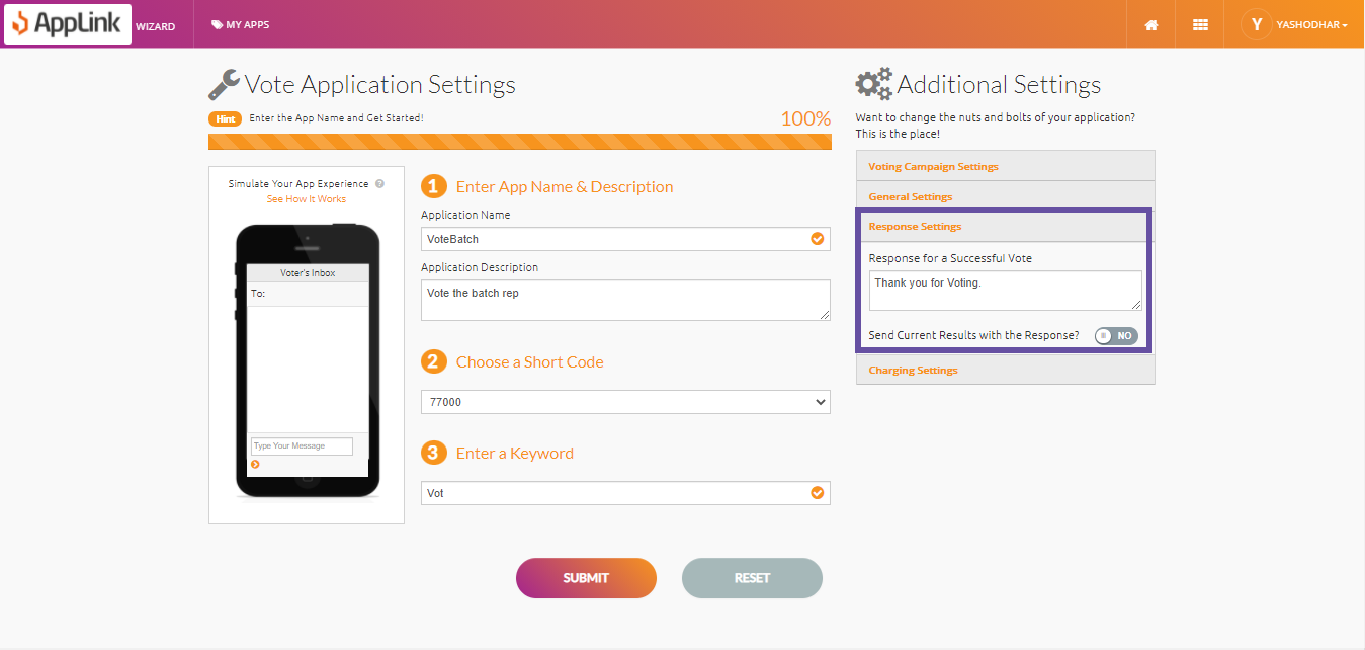
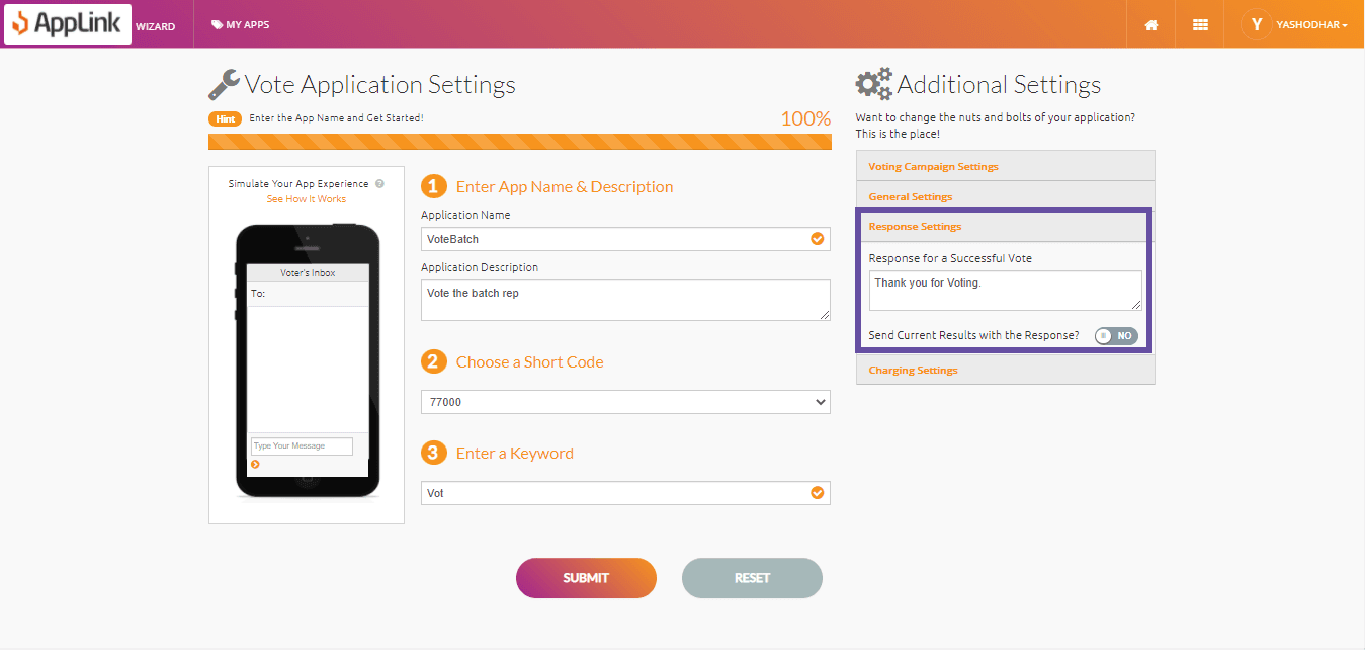
Step 5: Fill in the response settings.
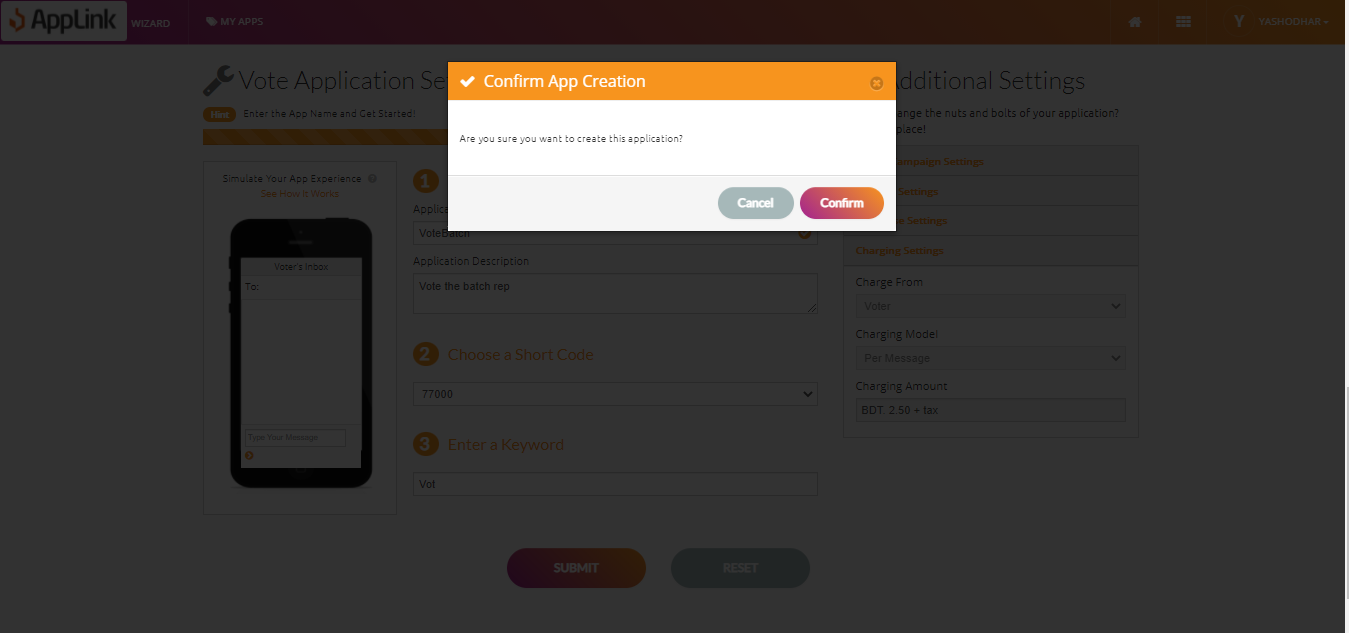
Step 6: Fill in the charging details and click Submit.
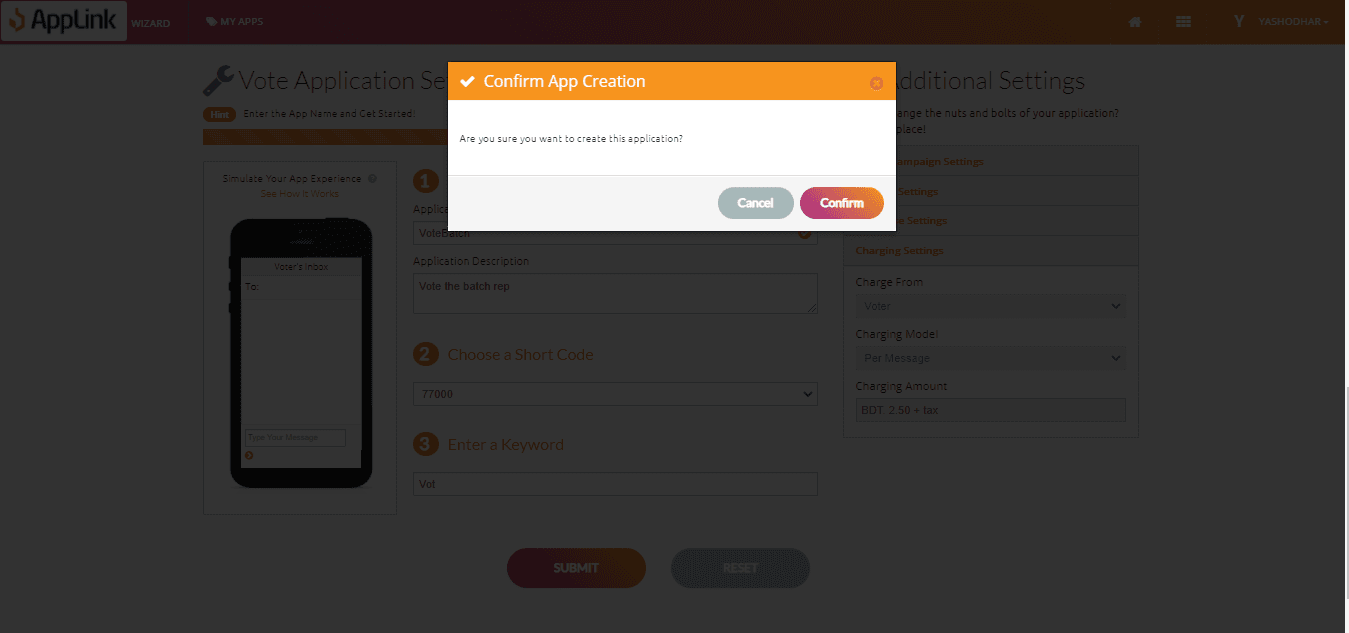
Step 7: Confirm your application creation.